
Introduction
Overview of Arealize and how to get started
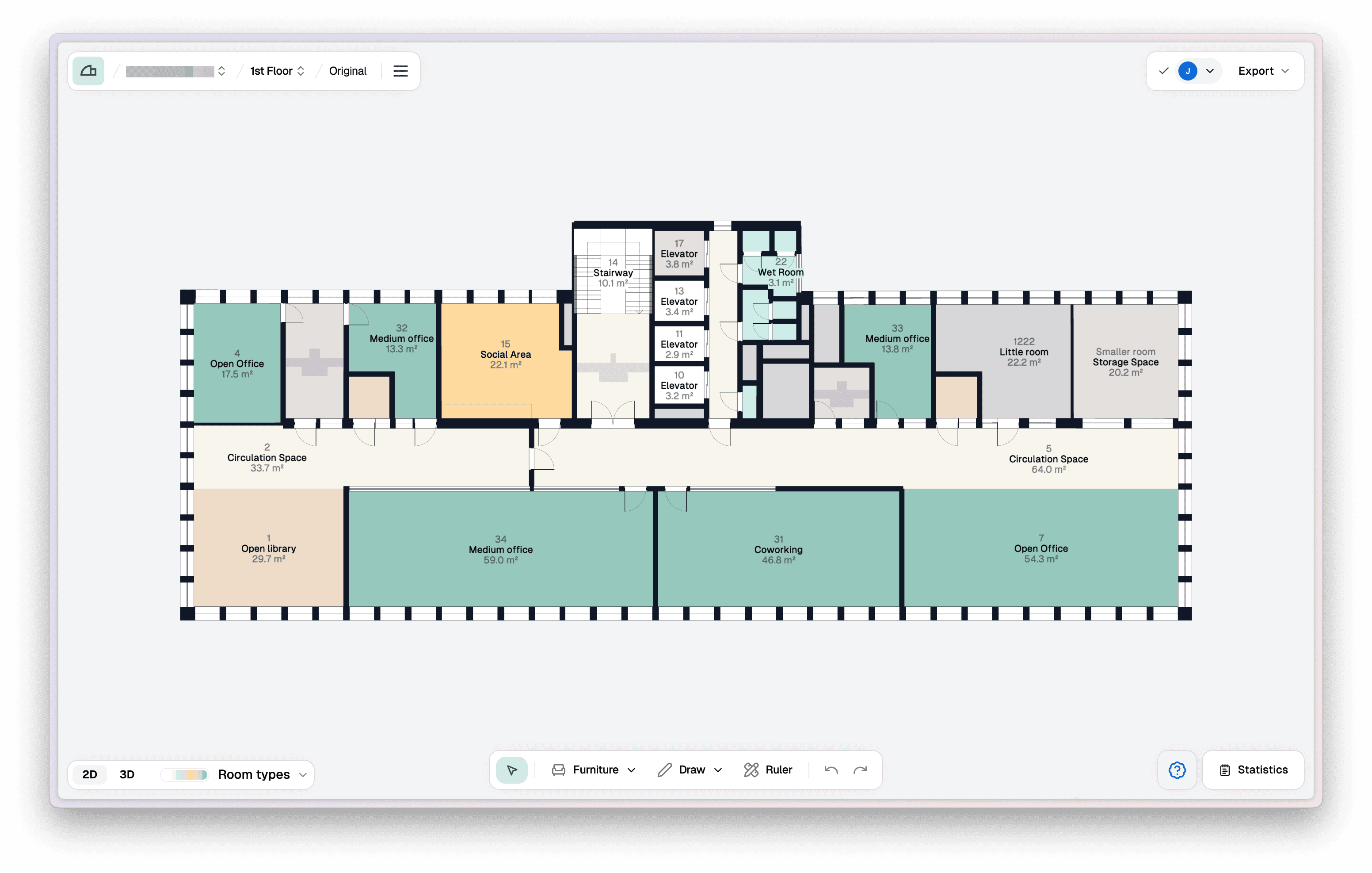
How to use Arealize?
- Create building and add floors
- Digitise floor
- Receive notification when the floor is available
- Open floor plan in Studio
- Export floor as PDF
Shortcuts
Create building
Create a building and add floors.
Digitise floor
Digitise floor.
Statistics
Customise areas and view statistics for a floor.
Download PDF
Export floor as PDF.
Frequently asked questions
Can I digitise specific parts of a floor plan?
When you digitise the original floor plan, the entire drawing will be digitised. We therefore recommend using the "Redaction tool" to hide anything that you want the model to ignore. You can also isolate sections in the floor plan using "zones" in Studio. Please contact us if you need help with this.
Which format provides the best result?
PDF files will provide the best results. PDF must contain a scale for optimal results.
Can I upload non-commercial floor plans?
We can digitise all types of commercial buildings, such as hotels, industrial buildings, shopping centres, etc. Non-commercial floor plans will still be created, but as of now room types and certain furniture might not be recognised.