
Organisational room types
Define organisation-wide room types and map them to Arealize classifications
Room types control how spaces are classified across your organisation. Arealize supplies a stable set of internal types; your organisation can add custom room types with their own names and colours, and optionally map each custom type to one or more internal types so exports and analytics stay consistent.
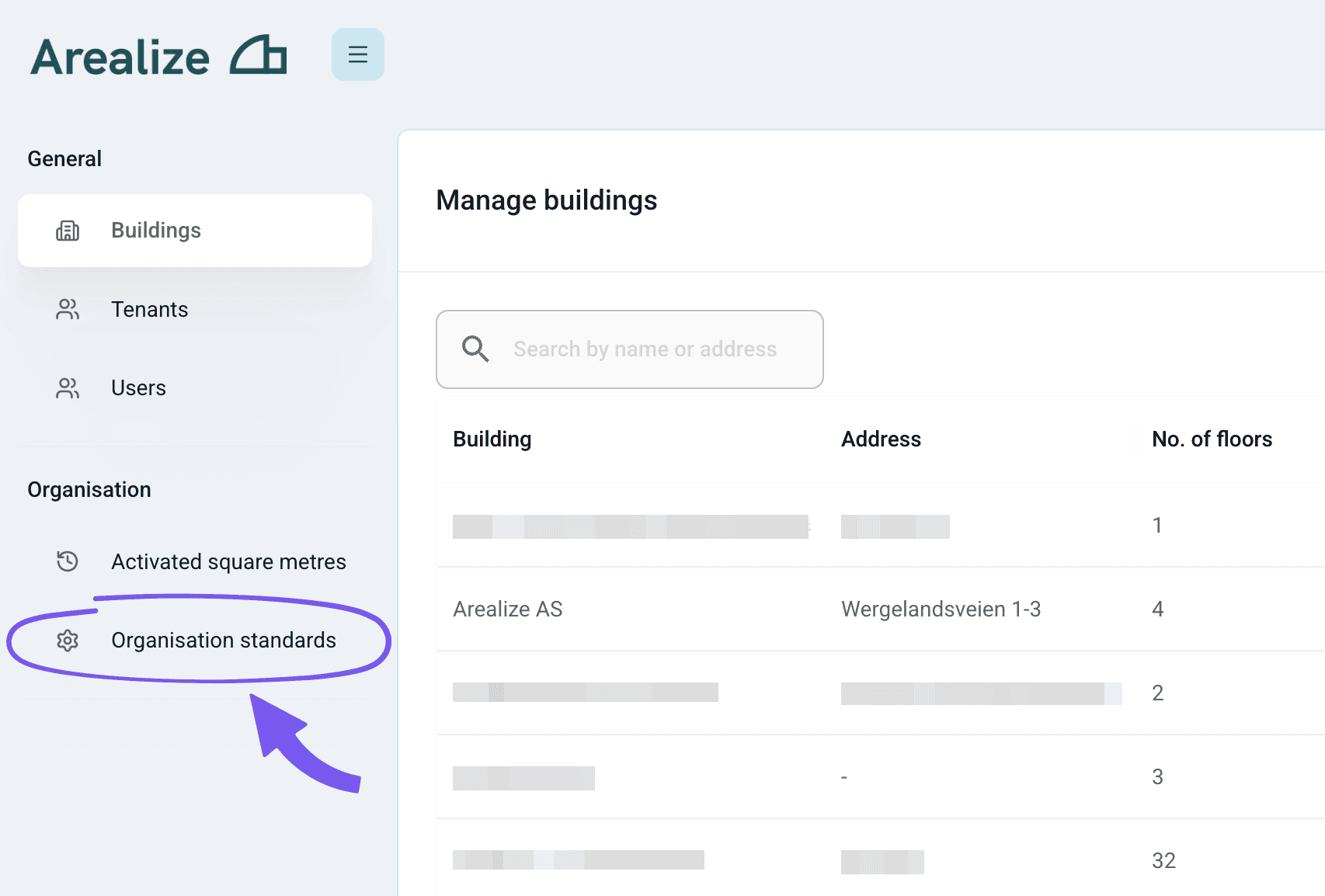
Manage room types
Open the Room types tab
In Preferences, open Organisation Standards. Select the Room types tab. Use the list to pick a type to edit, or add a new custom room type.
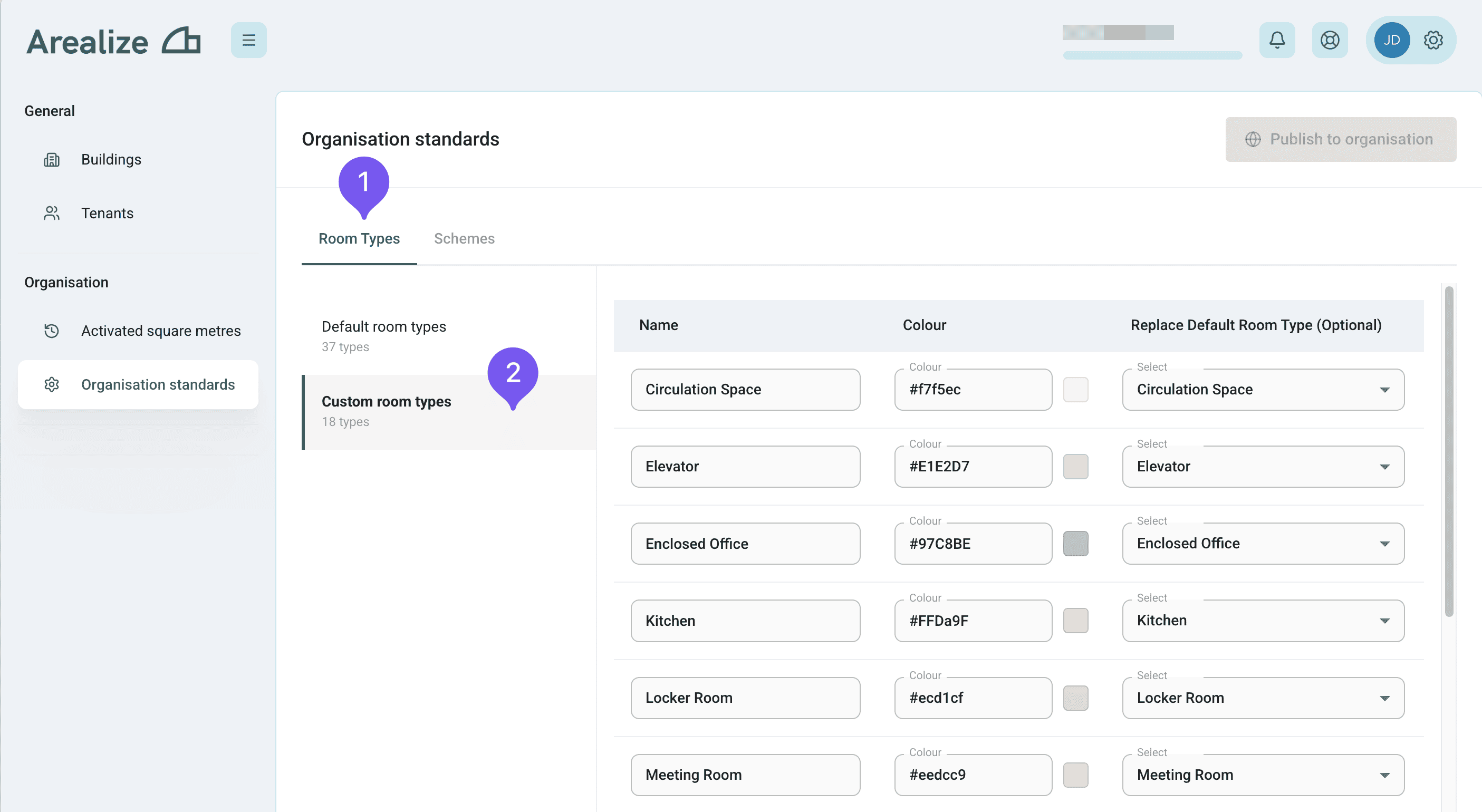
Set name, colour, and mapping
Edit inline: give the type a name and colour. If you link it to an Arealize room type, that connection defines how this label aligns with the standard classification (you can map to more than one internal type when needed).
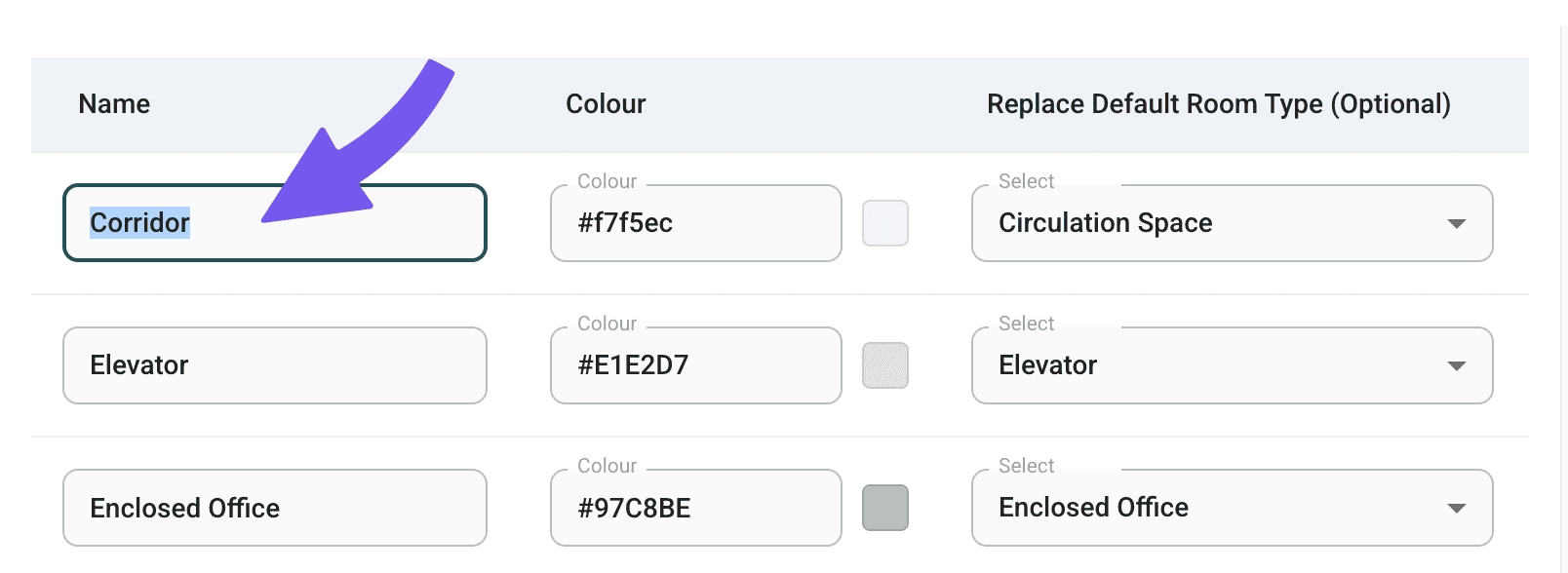
Publish to the organisation
When you are done editing, click Publish to organisation so the updated room types apply for everyone in the organisation.
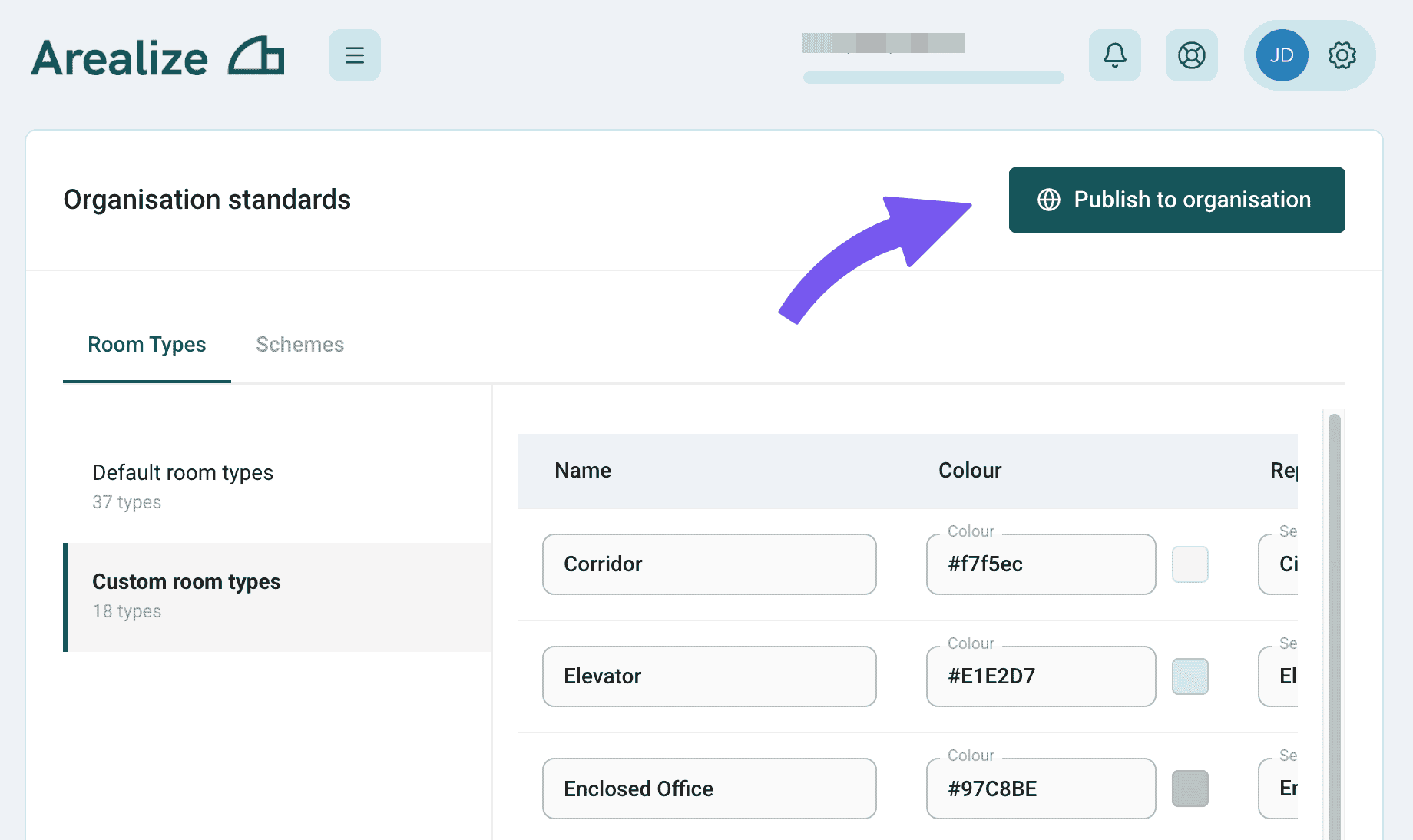
Confirm publish
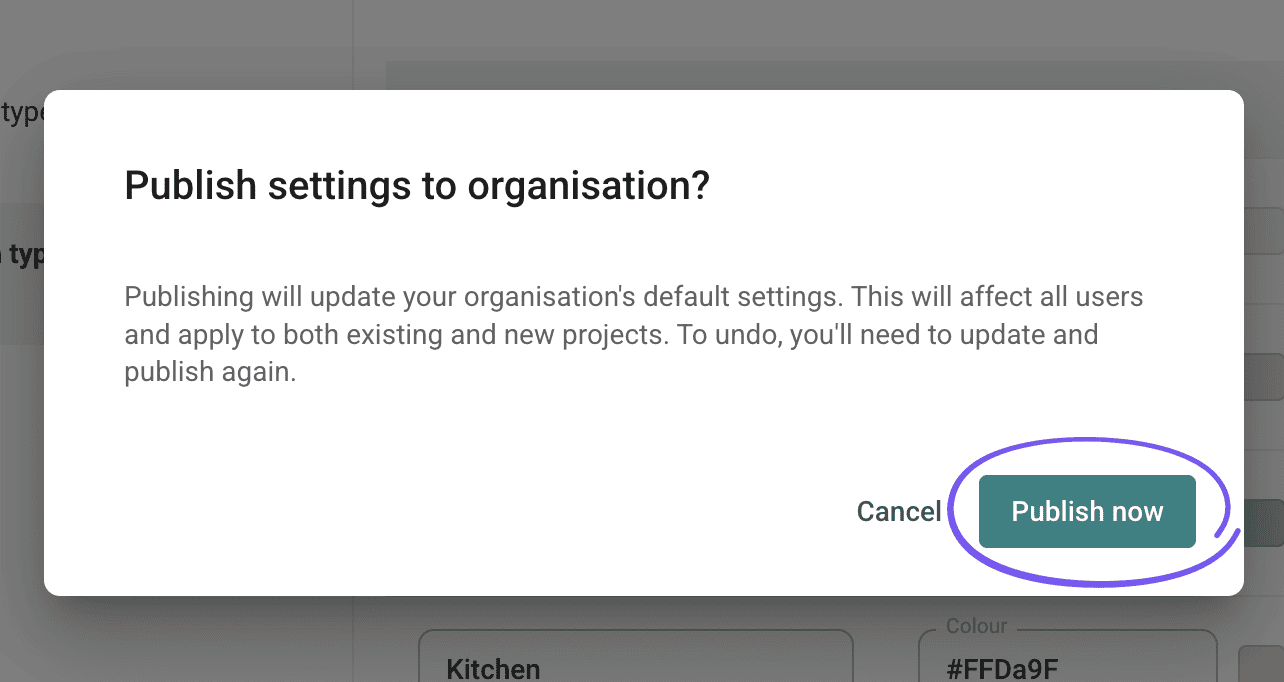
A dialog warns that the change affects all users in the organisation. Click Publish now to confirm.
Notes
- Custom room types are stored per organisation (user group), not per building.
- Floor plans in Studio use the room types served from the server after you publish; legacy plans may still list archived types until you clean them up in preferences.