Settings
Organisational schemes
Create organisational schemes
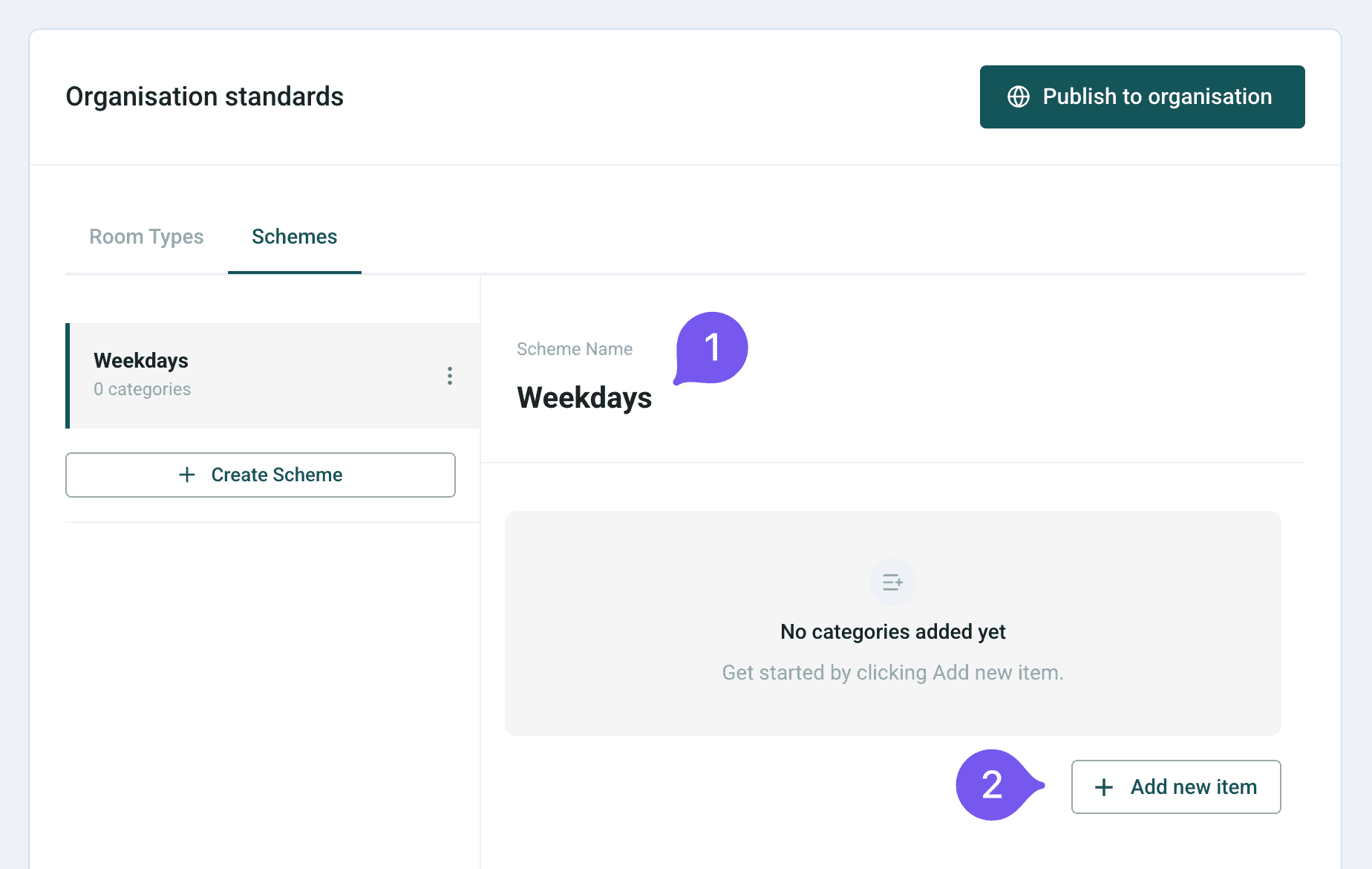
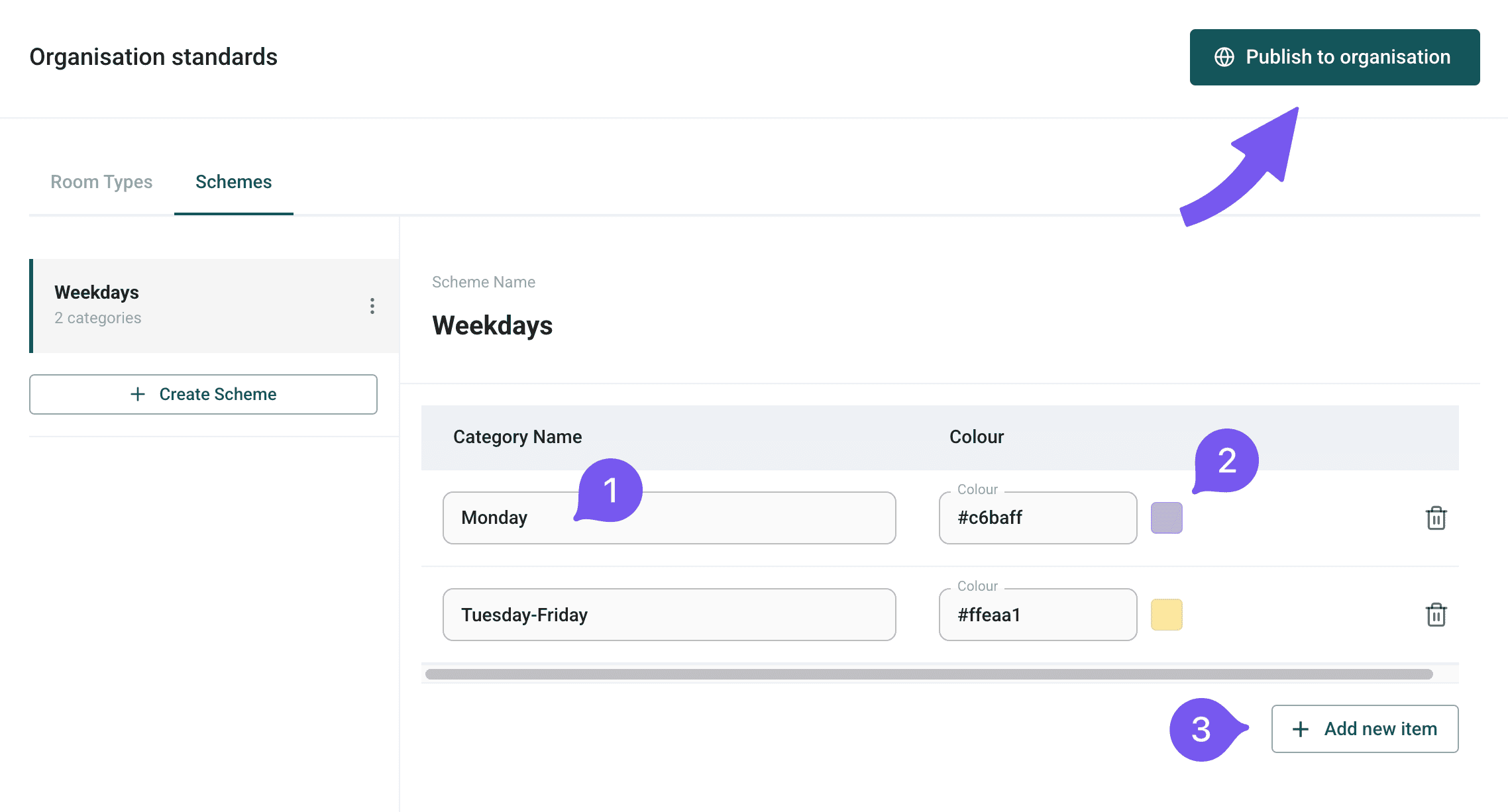
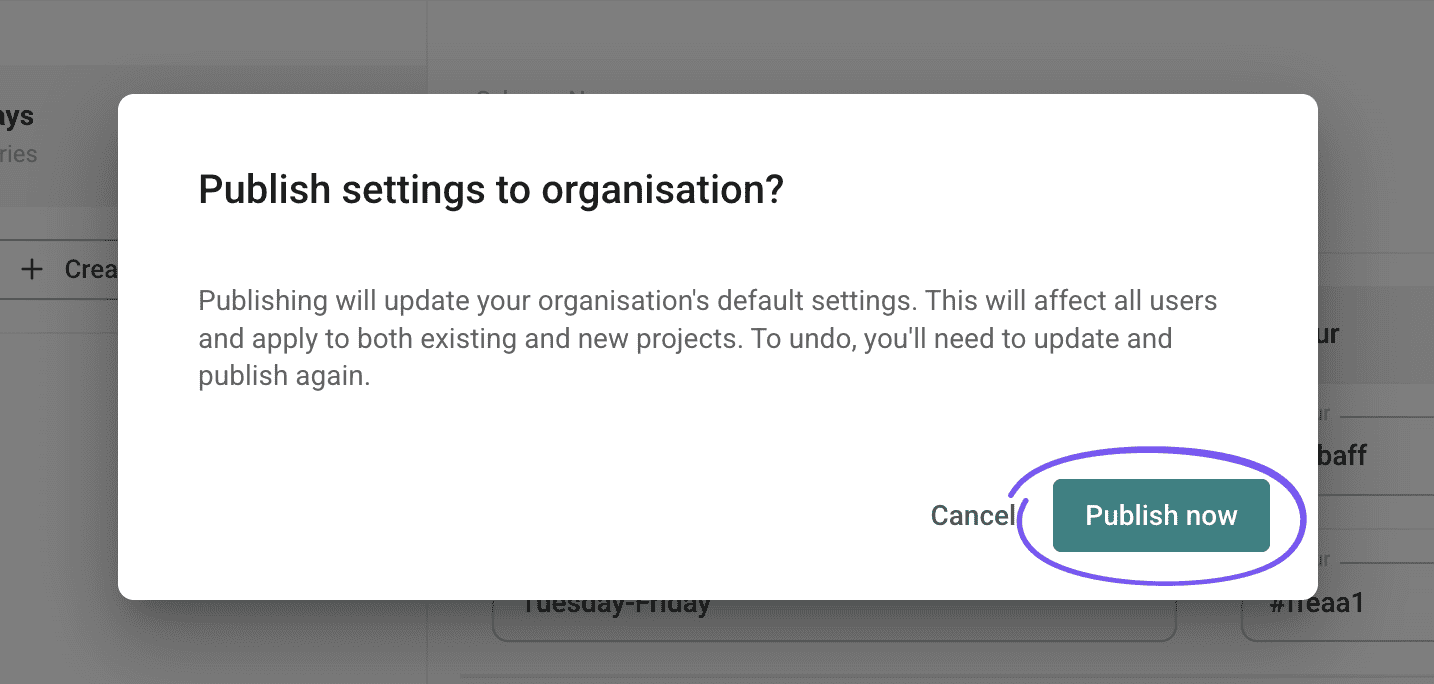
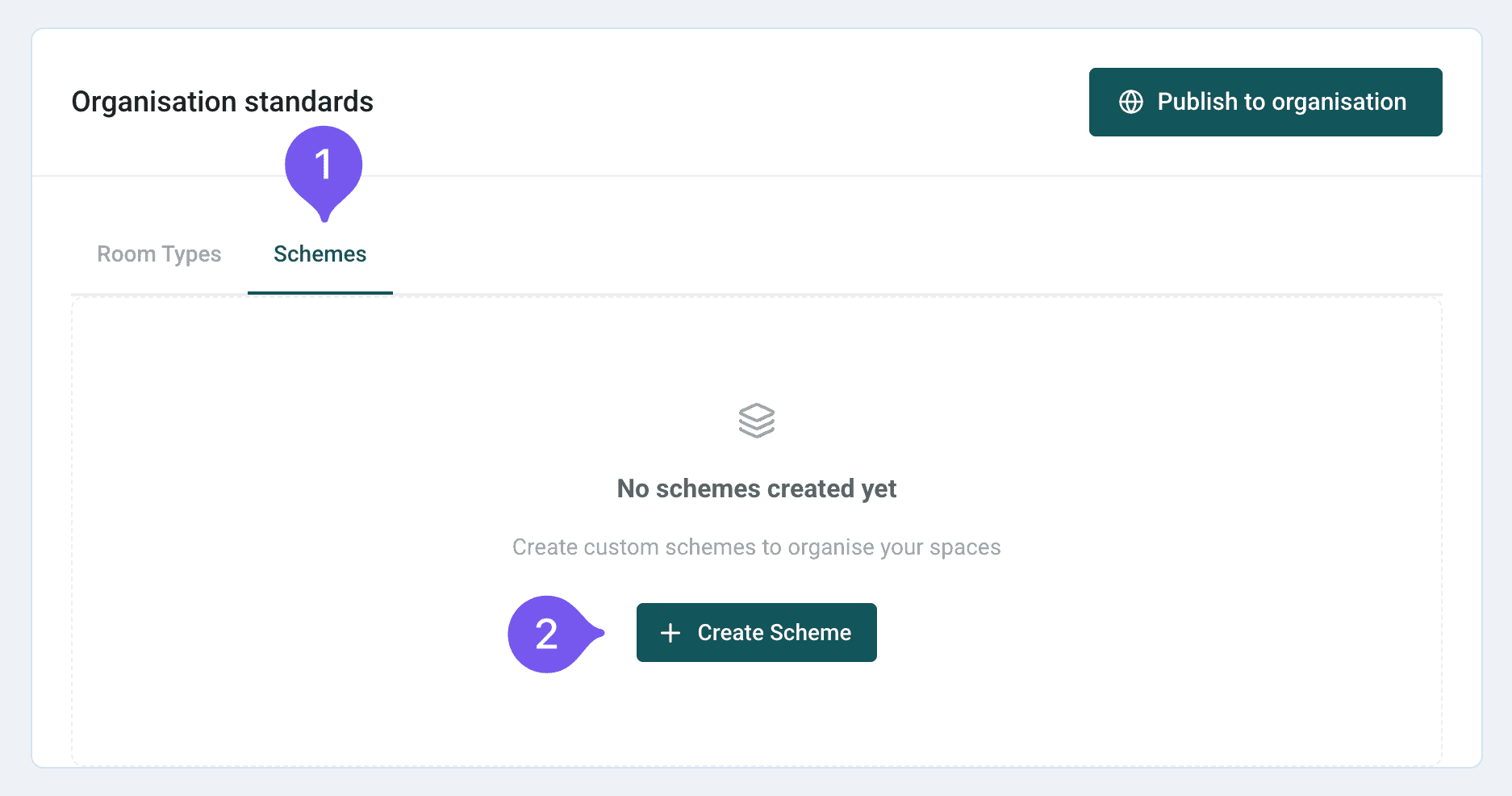
Organisational schemes help categorise floor plan areas for maintenance and cleaning. Create custom schemes with names and coloured items for organisation-wide use.

Create organisational schemes
Organisational schemes help categorise floor plan areas for maintenance and cleaning. Create custom schemes with names and coloured items for organisation-wide use.