
Tenants
Edit tenant
How to make changes to a room plan
Steps
Edit tenant
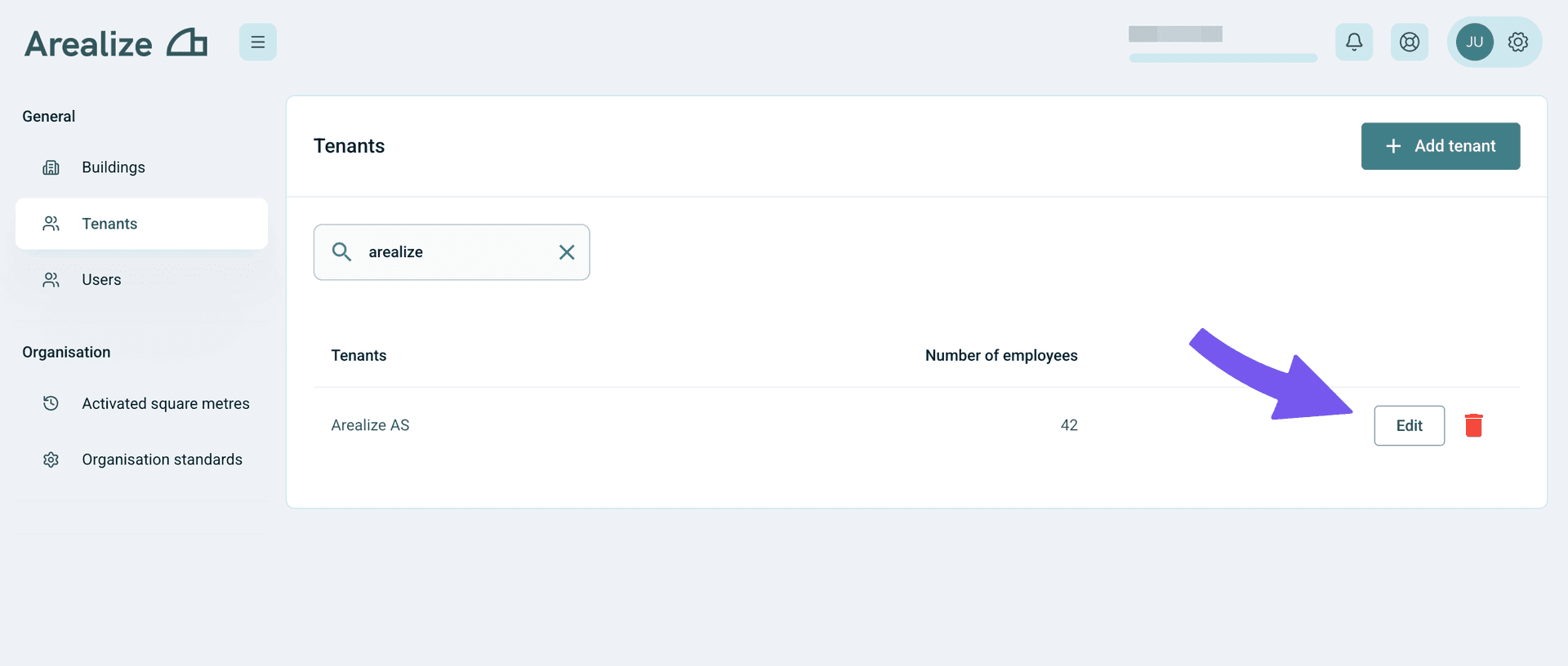
To make changes to the room plan of your tenant, you can use the search field to find your tenant, and then click "Edit."
Make changes
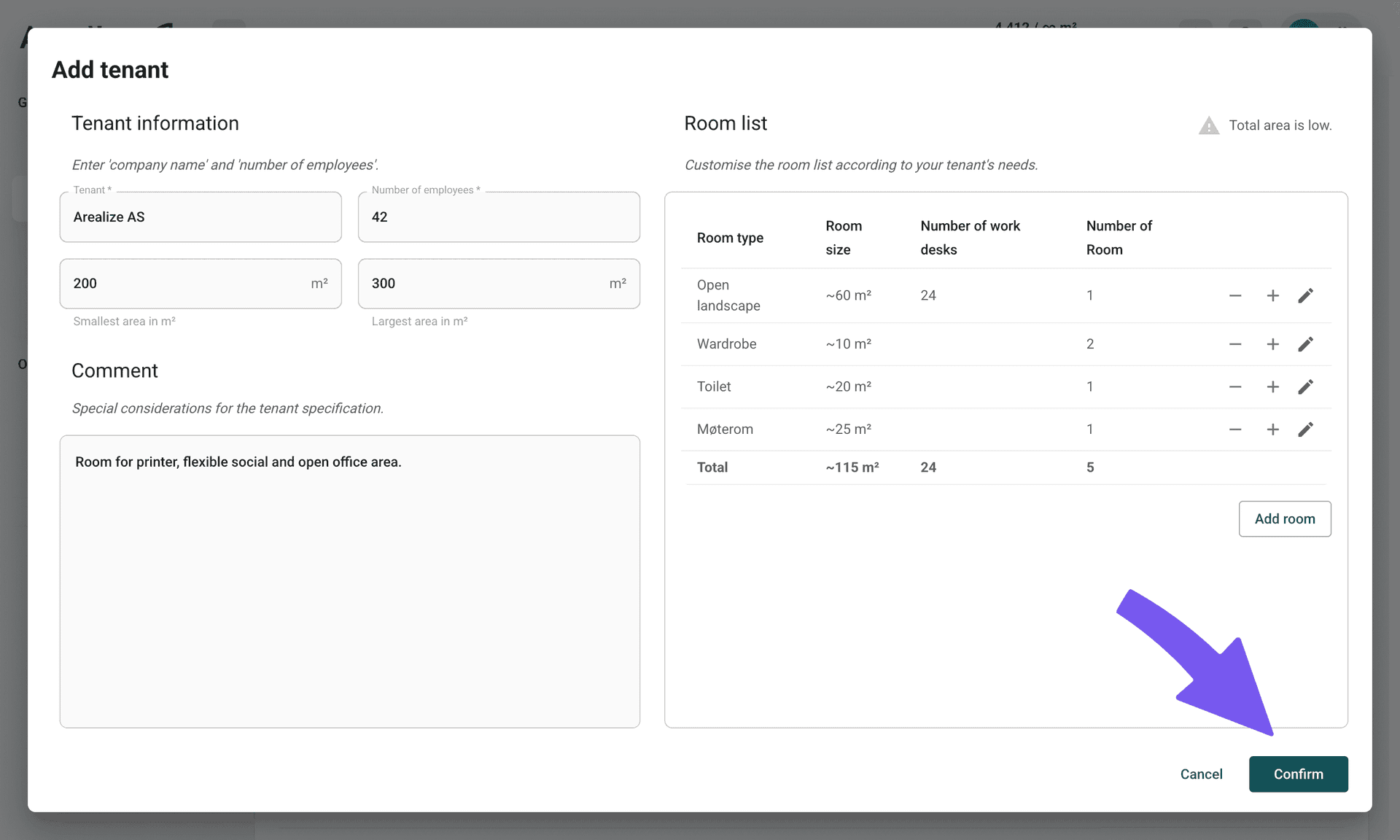
You can edit details about the tenant, change the room list, and make changes in the comments section. Click "Confirm" to save the changes.
Troubleshooting
I can't find the tenant I want to edit
Use the search field to filter tenants by name or other criteria. If you still can't find the tenant, make sure you're looking in the correct building and that the tenant hasn't been deleted or moved to a different location. If the problem persists, please contact us or support.