
Local schemes
Schemes that live on a single floor plan
A local scheme is a set of named, colour-coded values that exists on one floor plan only. Nothing you add here is shared with other floor plans or assets, and nothing here affects your organisation.
Use a local scheme for a classification that only matters on this plan — a one-off tenant layout, a survey, a temporary phasing. For classifications you want across the portfolio, define them once under Settings → Organisation → Schemes; see Schemes and publishing.
Steps
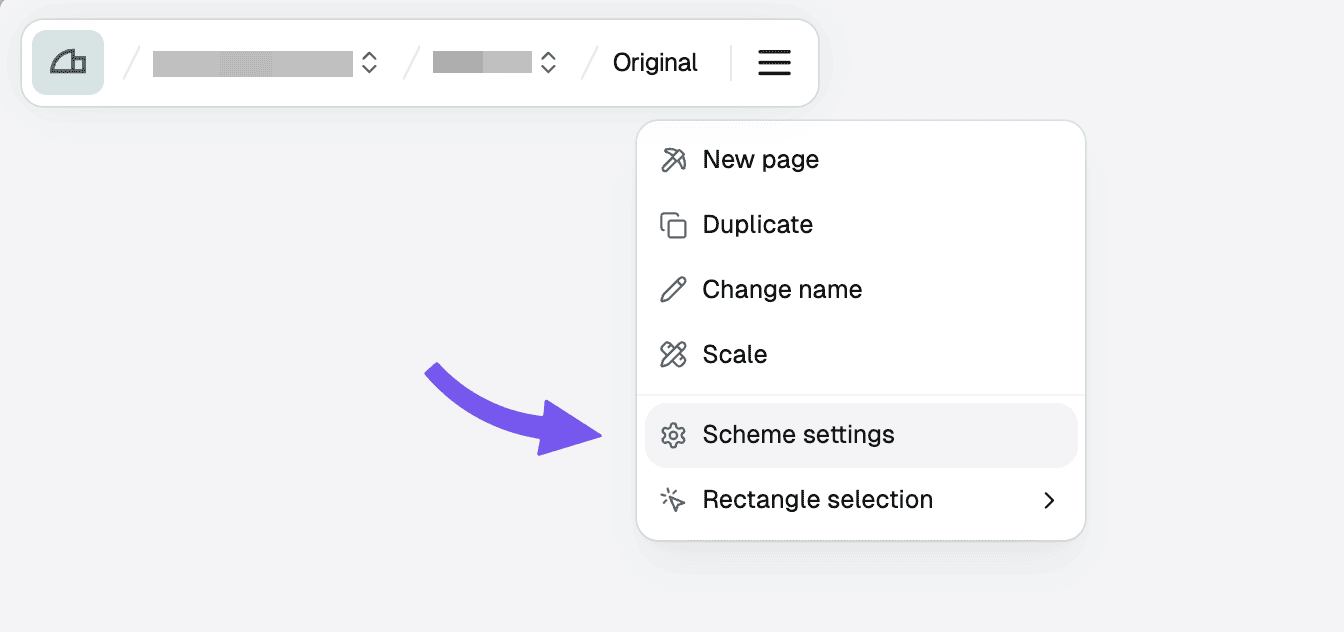
Add a scheme
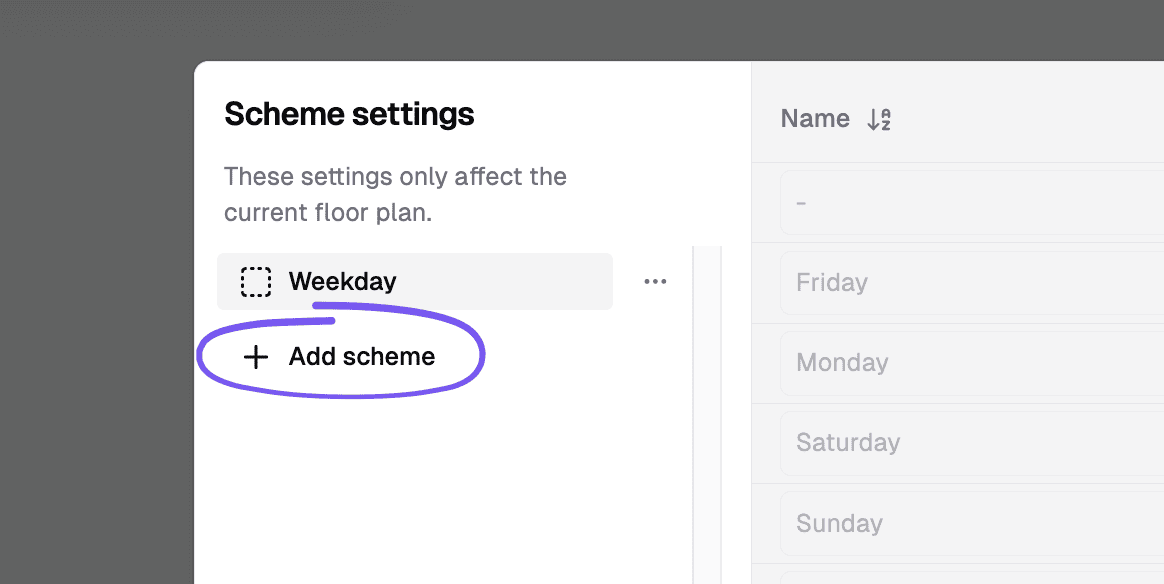
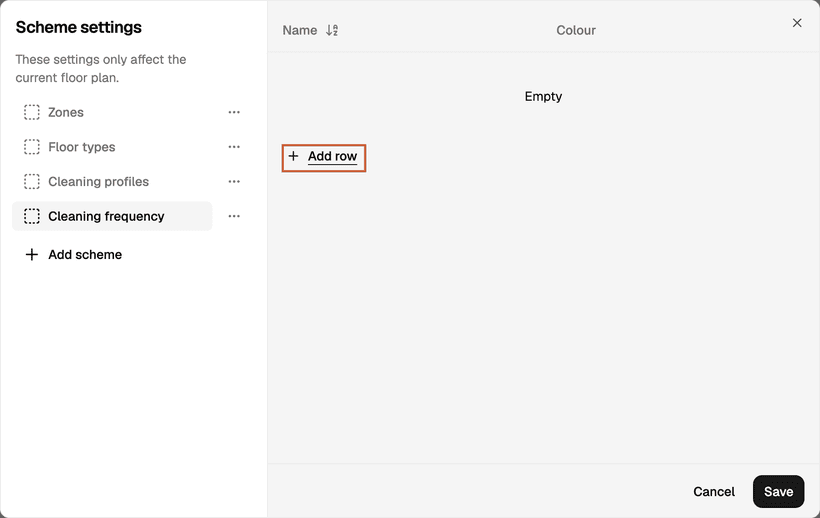
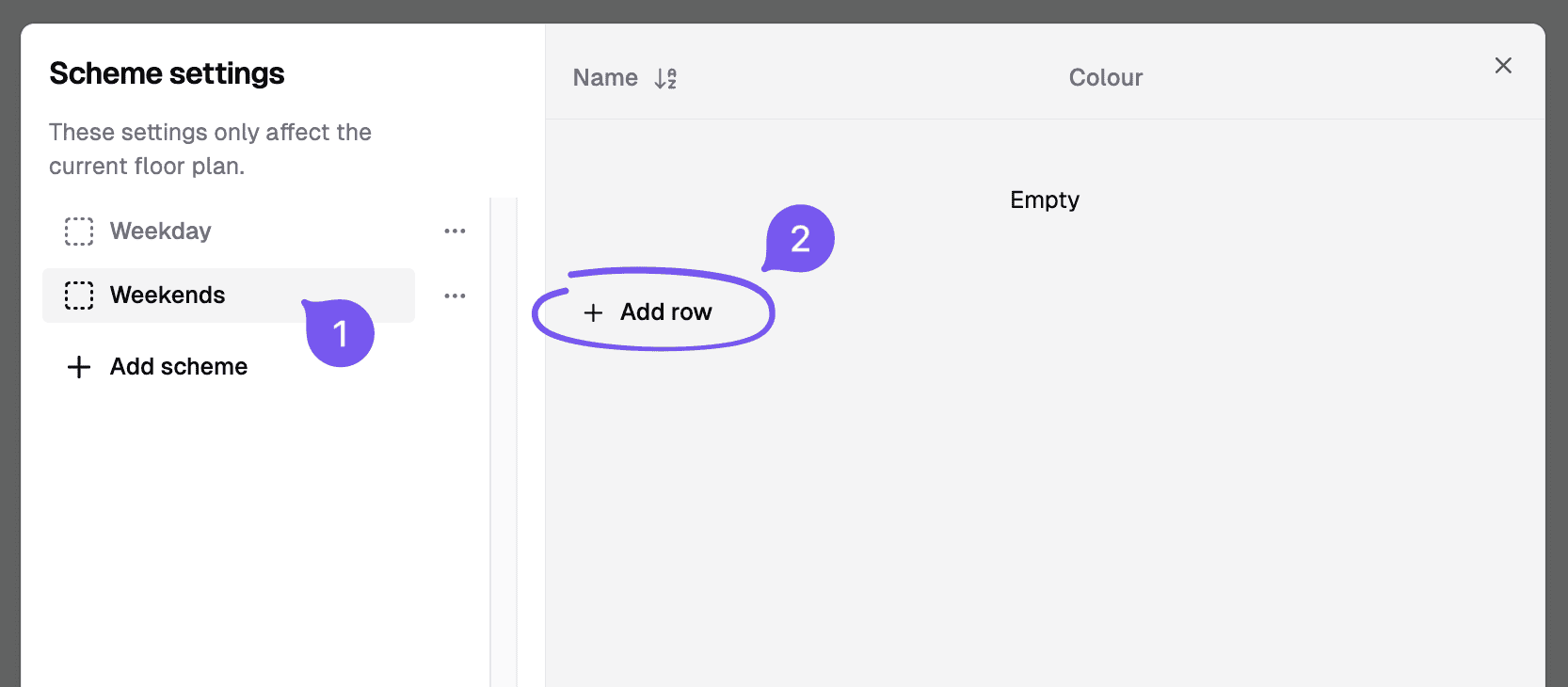
In the left panel, click "Add scheme" and name it. With the new scheme selected, click "Add row" for each value you want, then give the row a name and a colour.
Colour the plan by scheme
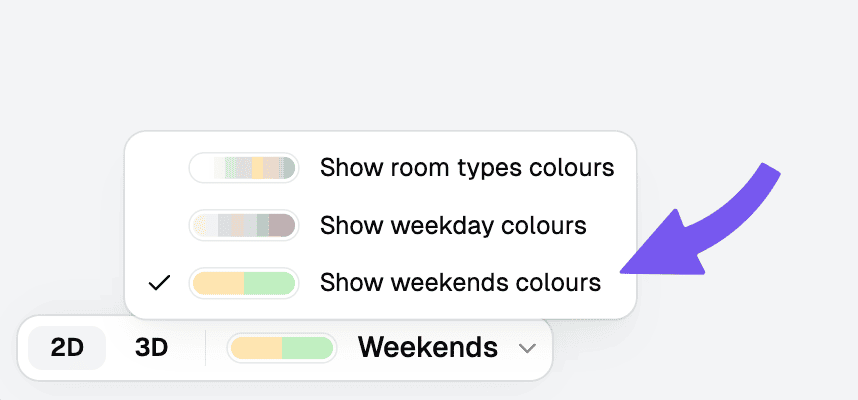
In the toolbar at the bottom left, open the scheme dropdown and select the new scheme. Areas are then coloured by their assigned value.
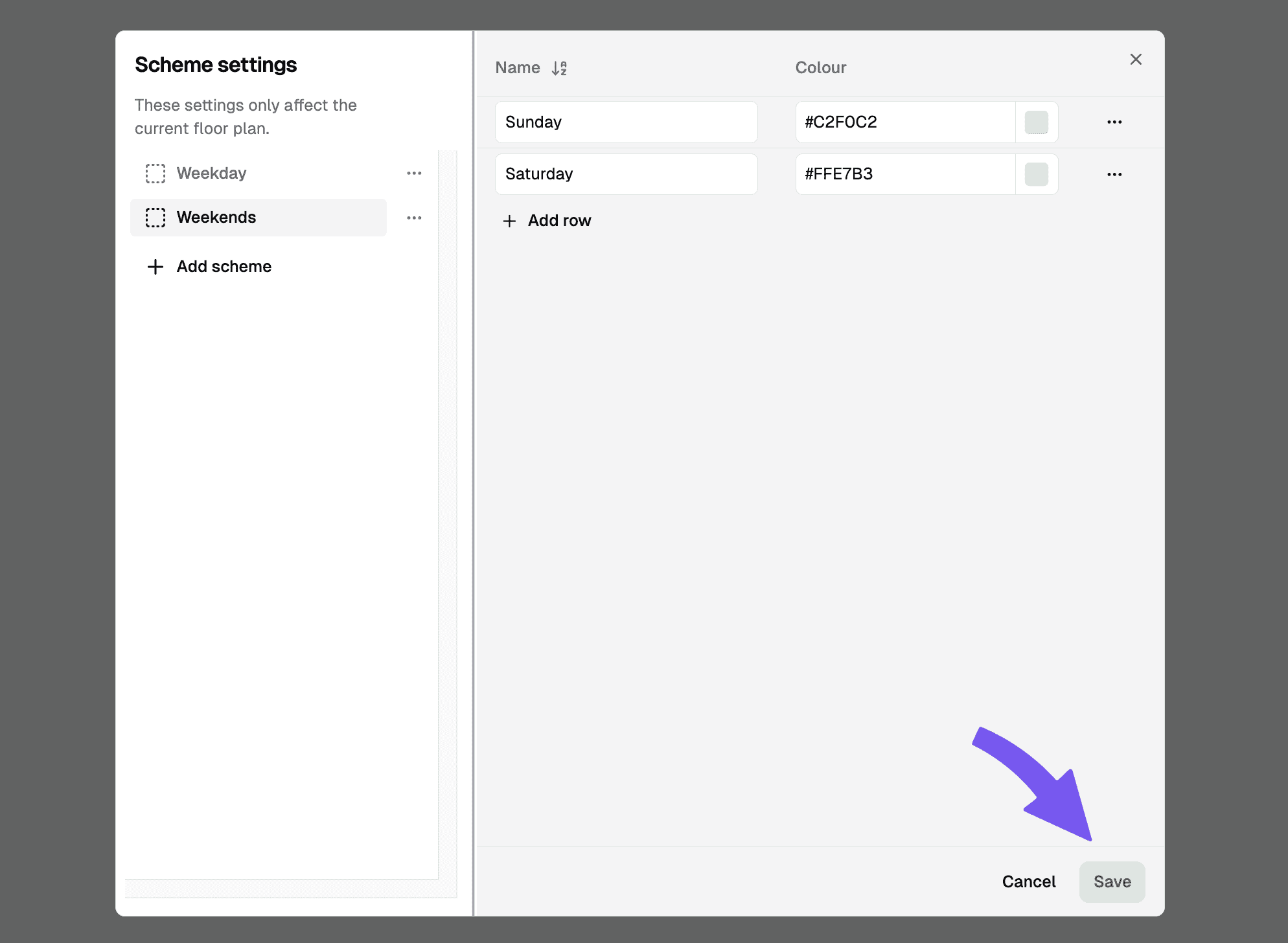
Assign areas
Select one or more areas on the plan, then choose a value for the scheme in the properties panel.
To export one scheme's values for a single group — say the cleaning frequencies for one customer on a shared floor — filter the export by a second scheme rather than copying the plan; see question 3 in the FAQ.