Tools
Door
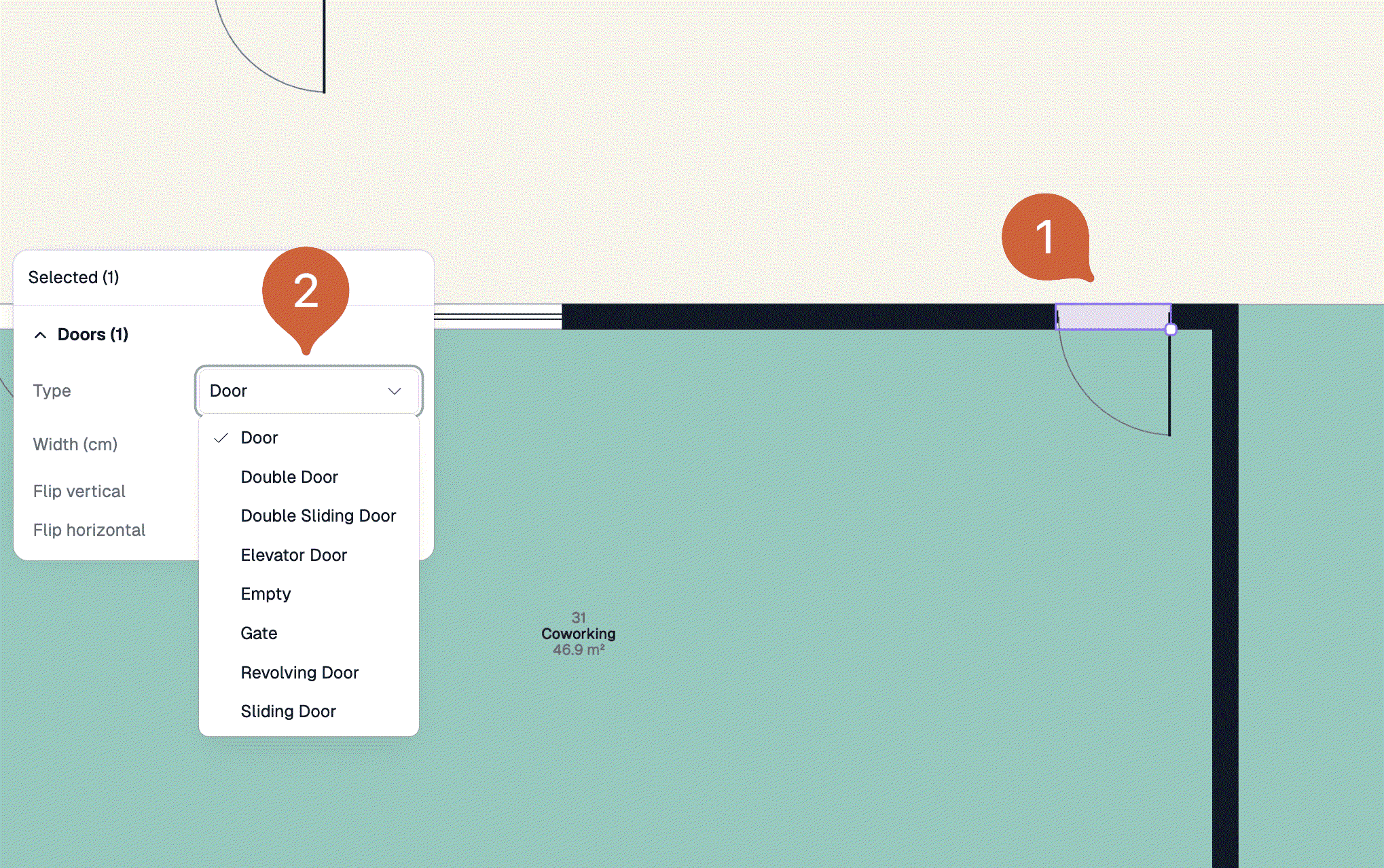
Insert different door types to your floor plan
Steps
Select the door tool
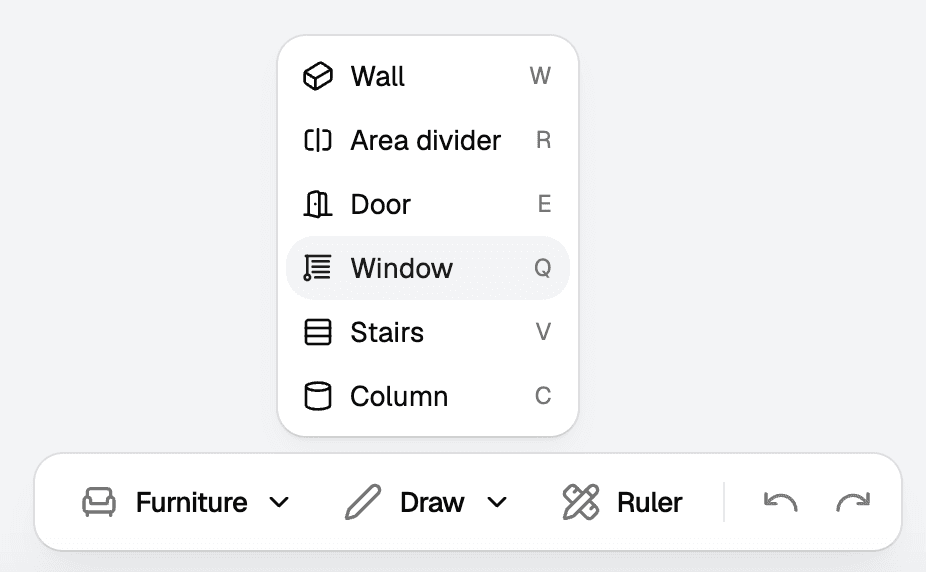
Open the Draw menu in the bottom centre toolbar. Select the Door tool there. You can also use the shortcut E (Entry).

Insert different door types to your floor plan
Open the Draw menu in the bottom centre toolbar. Select the Door tool there. You can also use the shortcut E (Entry).